

Relationships
Build relationships from real mentions
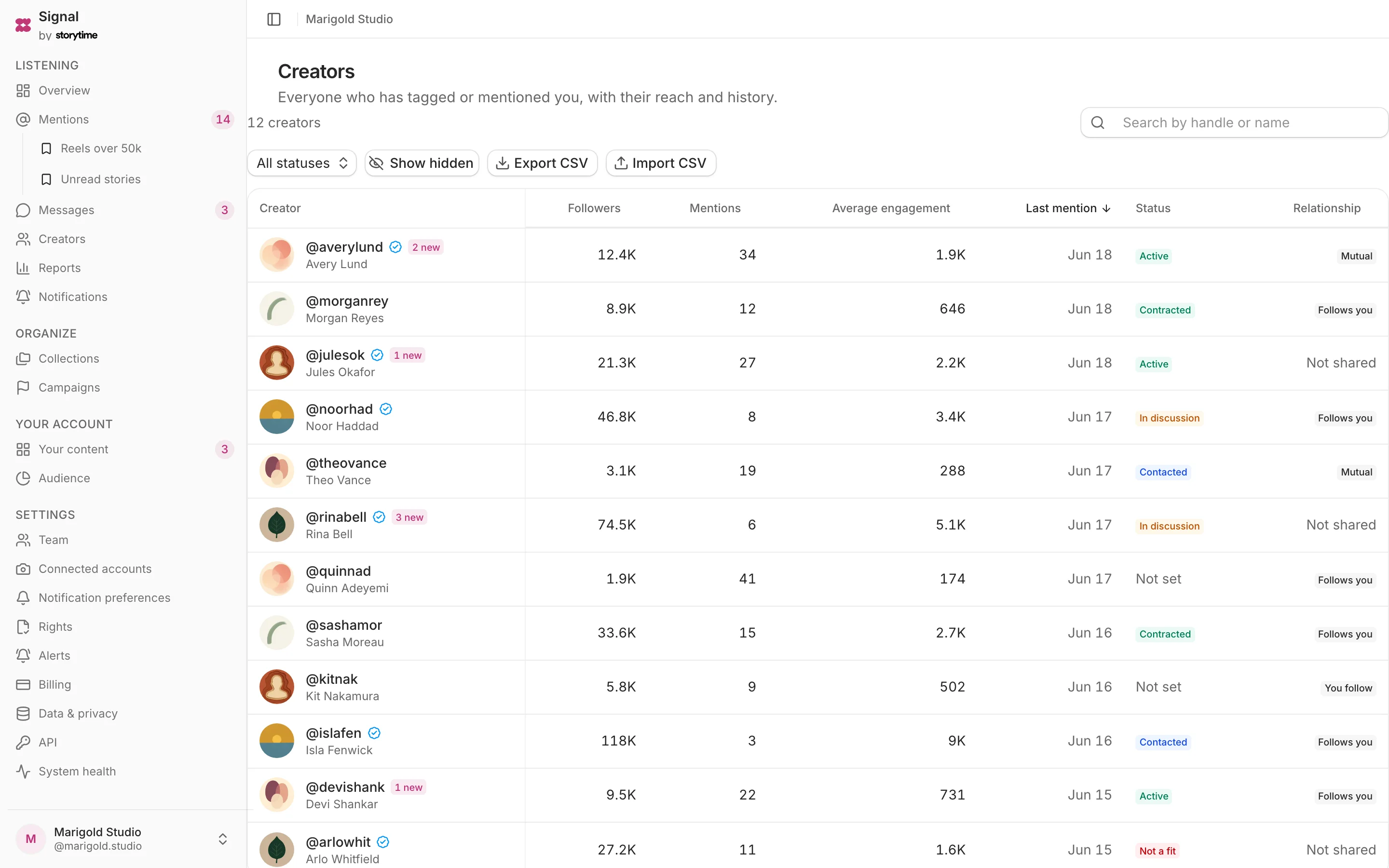
Signal creates a profile the moment a creator mentions your brand, complete with their public details and follower history. Add relationship status, contact details, notes and custom fields without separating the history from the person.
Included on every plan, starting with Free — no card.
- Plan
- Free
- Capabilities
- 5
- Area
- Relationships
- Works with
- Campaigns, Messages, Mentions, Analytics
What you can do
5 includedSort and filter creators
Compare followers, mention count, engagement, latest mention and relationship status.
Keep relationship context
Store status, contact details, team notes and custom fields on each creator.
Import and export CSV
Match imported rows by handle and export creator details for work outside Signal.
Review the activity timeline
See mention and relationship changes in chronological order.
Track follower growth
Follower readings are recorded over time, so you can see a creator’s audience move.
How a creator profile grows
- Step 1
A mention arrives
Signal links the creator to the captured post.
- Step 2
History accumulates
Later mentions update the creator’s count and activity.
- Step 3
Add relationship context
Set a status, contact details, notes and custom fields.
- Step 4
Use it elsewhere
Export the list or read it through approved integrations.
Plan
Free
The whole listening loop for one account, forever free.
Free. The comparison table shows 25 current features and limits across all plans.
Related
Campaigns
Set a creator roster and date range, then report on matching posts captured by Signal.
Messages
Read and answer Instagram DMs with the reply window visible on every conversation.
Mentions
Collect every tag, @mention and Story mention of your brand in one filterable list.
Analytics
Review your account analytics and mention reporting, with every estimate labeled.