

Campaigns
Keep campaign posts and results together
Create a campaign with a roster and date range. Matching posts already captured by Signal roll into one report with engagement and clearly labeled estimates.
Included on every plan, starting with Free — no card.
- Plan
- Free
- Capabilities
- 5
- Area
- Campaigns
- Works with
- Creators, Analytics, Usage rights, Mentions
What you can do
5 includedBuild a creator roster
Add creators from your existing creator list and update the roster as work changes.
Track essential results
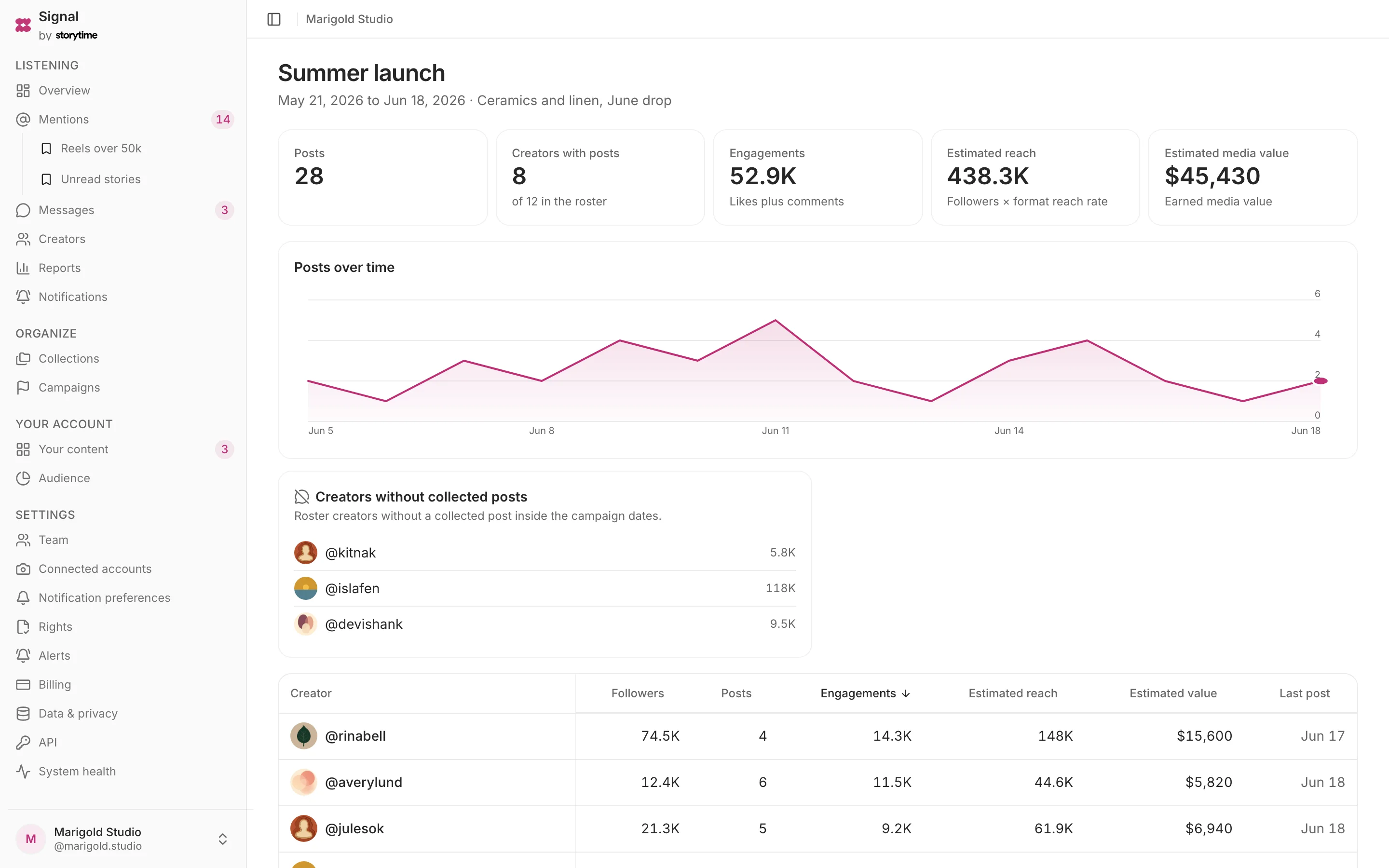
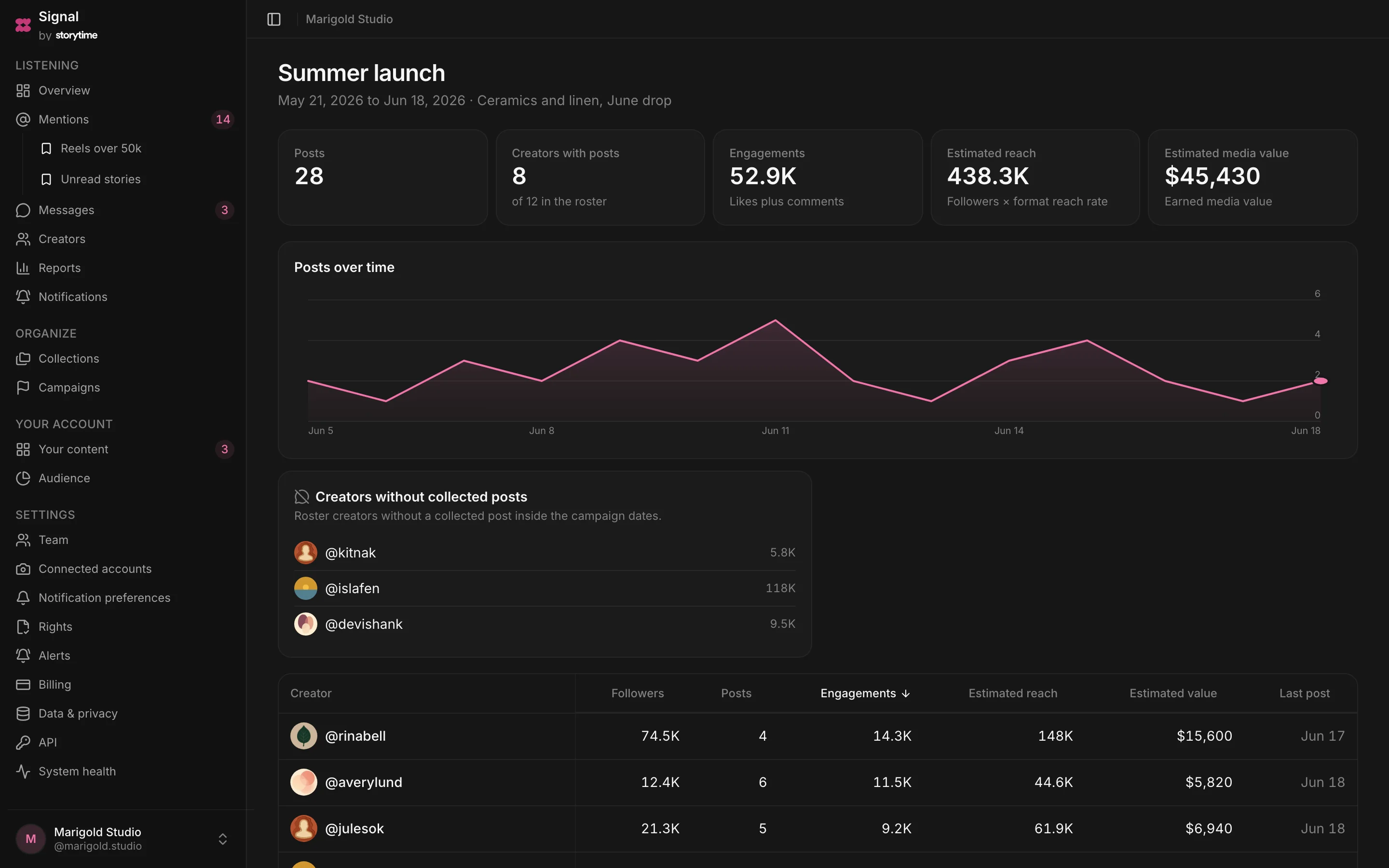
See posts, participating creators, engagement, estimated reach and estimated earned media value.
Find missing posts
See which roster members have no captured post inside the campaign window.
Review creators and posts
Compare creator results, top posts and all captured campaign posts in one view.
Share a read-only report
Create a public link for the current report, then disable it when access should end.
How a campaign runs
- Step 1
Create the campaign
Name it and set the reporting dates.
- Step 2
Add the roster
Choose creators from your workspace.
- Step 3
Collect matching posts
Captured roster posts within the dates join the campaign.
- Step 4
Share the report
Send a read-only link when your team or client needs it.
Plan
Free
The whole listening loop for one account, forever free.
Free. The comparison table shows 25 current features and limits across all plans.
Related
Creators
Discover the creators already posting about you and keep every relationship in one place.
Analytics
Review your account analytics and mention reporting, with every estimate labeled.
Usage rights
Send a rights request, show the creator the terms and keep their decision with the post.
Mentions
Collect every tag, @mention and Story mention of your brand in one filterable list.